
Latest Version
ENVISION TECHNOLABS LLP
Tools
Mac
Free
6446387395
Report a Problem
More About Cleaner - App Uninstaller, Dev
The Frustration of the Cluttered Mac Drive
We have all been there: you try to download a critical system update or a large project file, only to be met with the dreaded "Disk Almost Full" warning. For developers and power users, this issue is magnified by gigabytes of hidden Xcode caches, library leftovers, and forgotten application support files. The Cleaner - App Uninstaller, Dev utility offers an elegant, streamlined solution to reclaim your storage space without the headache of manual directory digging.
What is Cleaner - App Uninstaller, Dev?
Developed by ENVISION TECHNOLABS LLP, Cleaner - App Uninstaller, Dev is a specialized utility designed specifically for macOS. It acts as a digital broom, scanning your system directory upon launch to identify redundant application data, developer tool junks, and orphaned files that standard uninstallation methods leave behind. By focusing heavily on developer-specific clutter alongside standard app uninstallation, it bridges the gap between basic disk cleaners and advanced system maintenance tools.
Key Features of the App Uninstaller
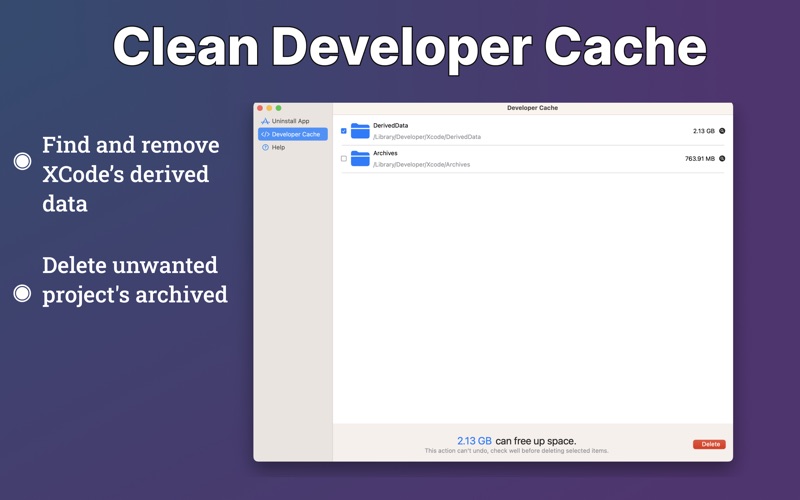
- Targeted Developer Cleanup: Easily locate and delete gigabytes of system junk, container files, and cache accumulated by Xcode and other developer suites.
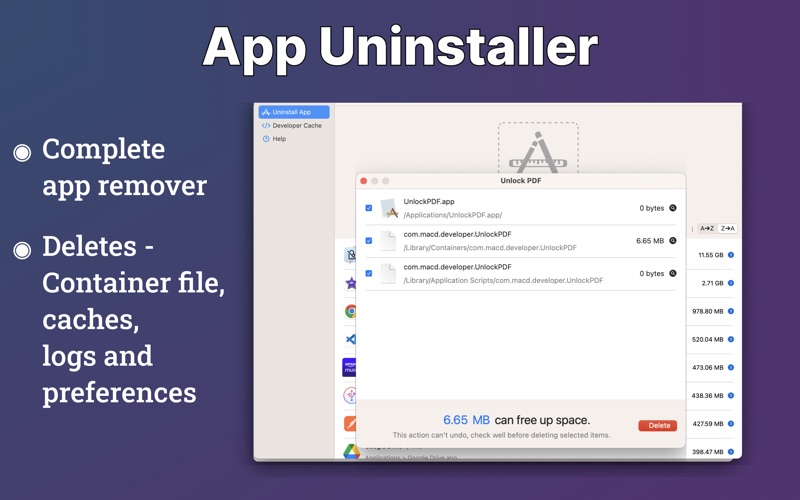
- Deep Application Uninstallation: Go beyond dragging an icon to the Trash. This utility identifies related library directories, preferences, logs, and caches for a complete wipe.
- Visual Storage Breakdown: View exactly how much disk space you will reclaim before committing to any deletions.
- Smart Safety Filters: The software highlights currently running applications to prevent accidental data corruption or system instability.
- Custom Sorting Options: Organize your scanned applications by file size or name to easily target the largest space-wasters.
An Efficient Workflow for Busy Professionals
Using Cleaner - App Uninstaller, Dev is remarkably straightforward. Upon launching the application, an automatic scan initiates to index your storage. Users can browse the categorized results, select unwanted software or developer caches, review the automatically checked support files, and execute a thorough cleanup in just a few clicks. Because Apple's security architecture requires manual removal of the core .app file in some scenarios, the utility guides you through the process step-by-step, ensuring you retain total control over your filesystem.
Is It the Right Utility for You?
If you are a software developer, designer, or general Mac user struggling with dwindling drive space, this tool offers a highly focused solution. It is optimized for modern macOS versions, including Monterey and Ventura, and features a clean Dark Mode interface that integrates beautifully with your workspace. Rather than paying for complex, resource-heavy system suites, this lightweight utility provides exactly what is needed to maintain a fast, clutter-free machine.
To experience a cleaner, more responsive system, check out the official store page on the Mac App Store to explore its features and subscription options.
Rate the App
User Reviews







Popular Apps









Editor's Choice